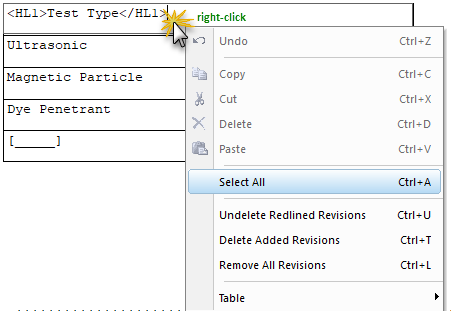
This command can be executed from the SI Editor's Table's Right-click menu or by using the keyboard shortcut Ctrl+A.
The Select All command is a standard command that allows the simultaneous selection of all text.
 This functionality is only available while editing a table in Edit Mode to select all the text within the active cell.
 To Select All Text In a Cell:
The text is automatically selected until you begin to edit or click away from the highlighted text to deselect the text
 Watch the Formatted Tables eLearning module within Chapter 3 - Getting Started.
Users are encouraged to visit the SpecsIntact Website's Support & Help Center for access to all of our User Tools, including Web-Based Help (containing Troubleshooting, Frequently Asked Questions (FAQs), Technical Notes, and Known Problems), eLearning Modules (video tutorials), and printable Guides.
| CONTACT US: | ||
| 256.895.5505 | ||
| SpecsIntact@usace.army.mil | ||
| SpecsIntact.wbdg.org | ||